
Approach, by default, sends their automatic emails in English. However, we also provide clients the opportunity to have access to their templates in order to customize them to a different language.
Note: If, after reading this article, there is interest in gaining access to your own email templates please reach out to the following email: help@approach.app.
Table of Contents
What are Automatic Emails and Email Templates?
Customizing Email Template to a Different Language
What are Automatic Emails and Email Templates?
Automatic Emails: Automatic emails are the emails that are sent out to the customer once an action occurs: Some examples of these emails include but are not limited to:
Email receipts (sent to customer's email after purchase), Waiver (staff sends these from customer profile), Booking Confirmation (after ticket purchase), Welcome emails (after initial profile creation), and more!
Email Templates: Email Templates are stored in Postmark. Written in HTML, these are the layouts for how the automatic emails are going to appear to the customer.
Customizing Email Template to a Different Language
After Approach has provided you access to your Postmark Server, log into the following website: https://account.postmarkapp.com/servers
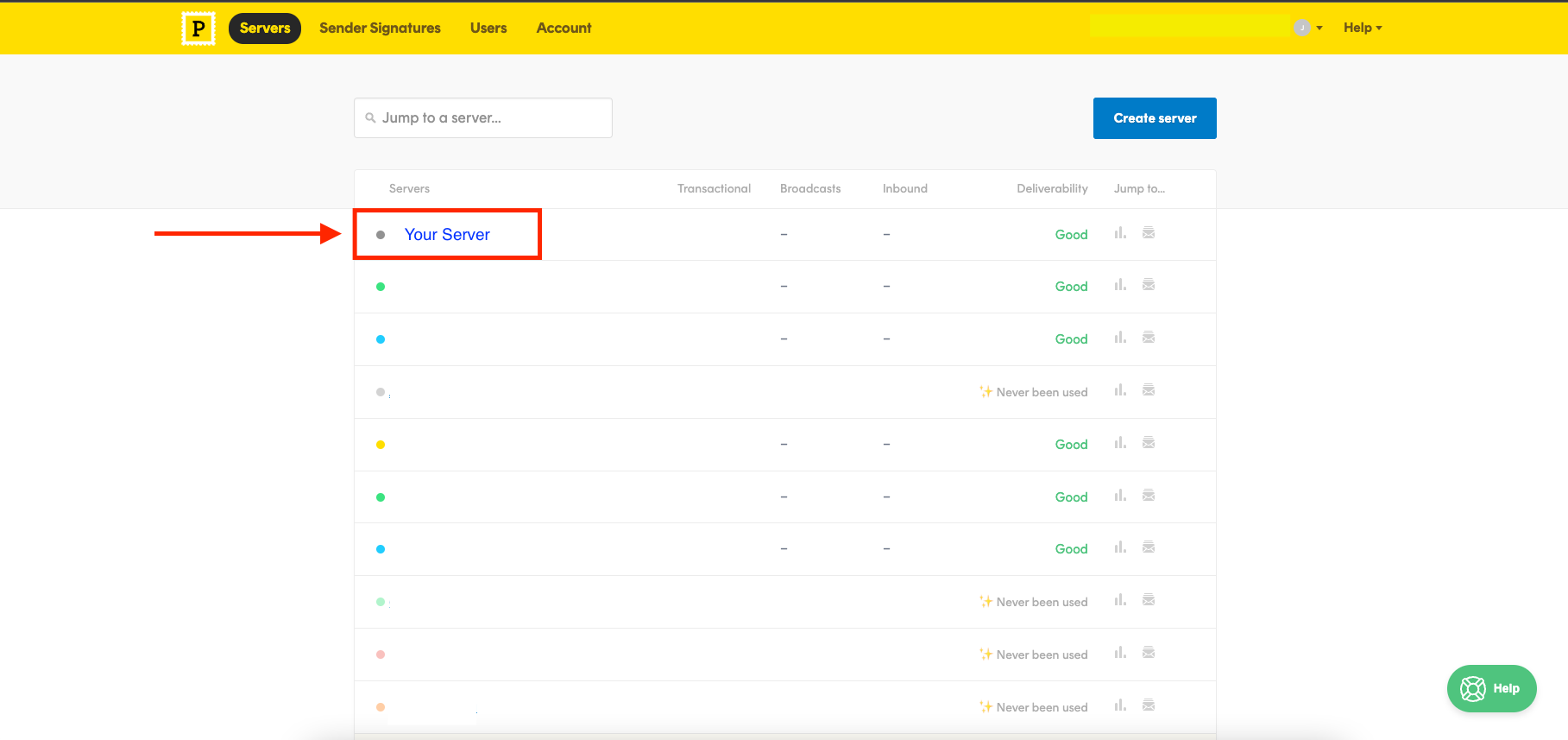
You will see your server. Click into it.
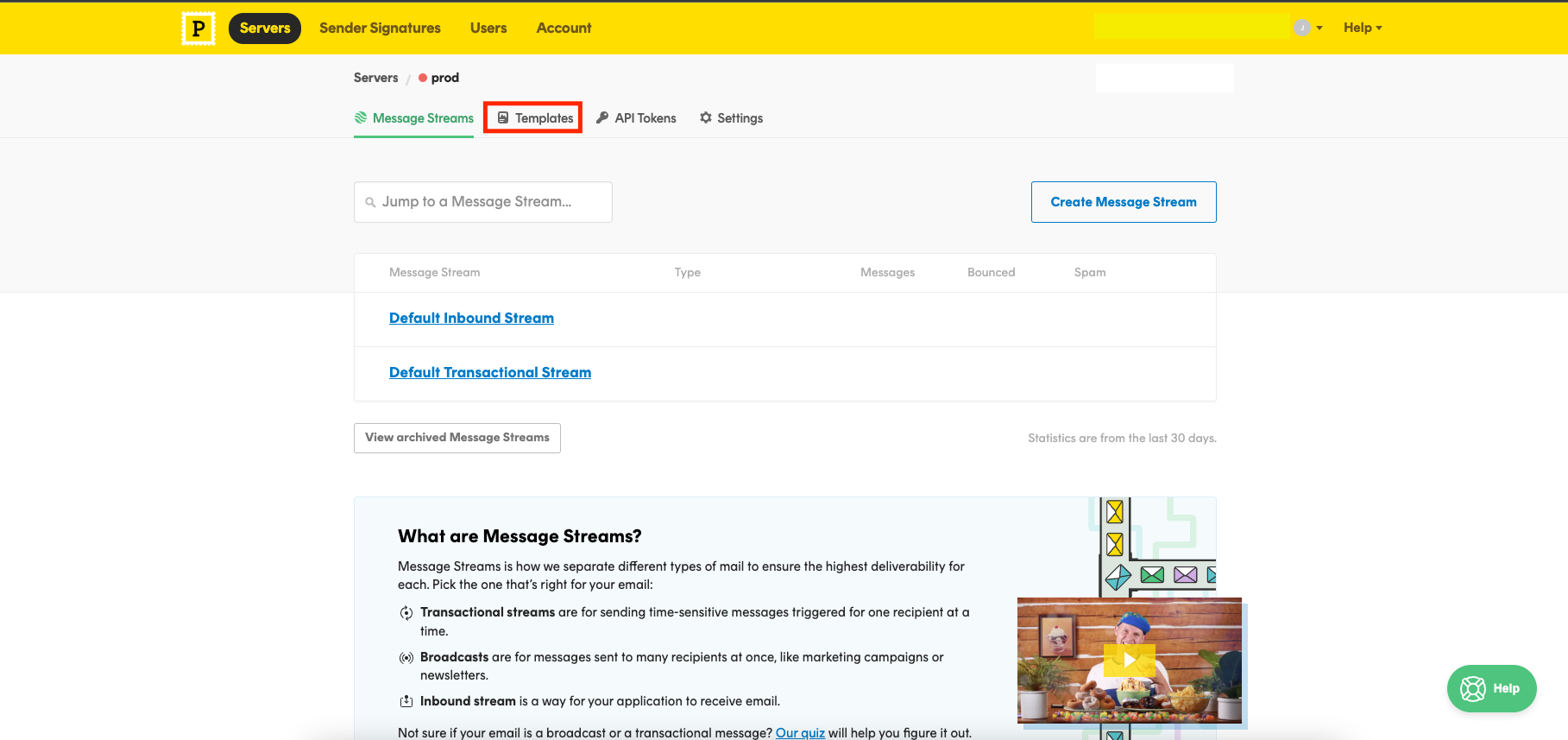
Once inside the server make sure to click into the "templates" section.
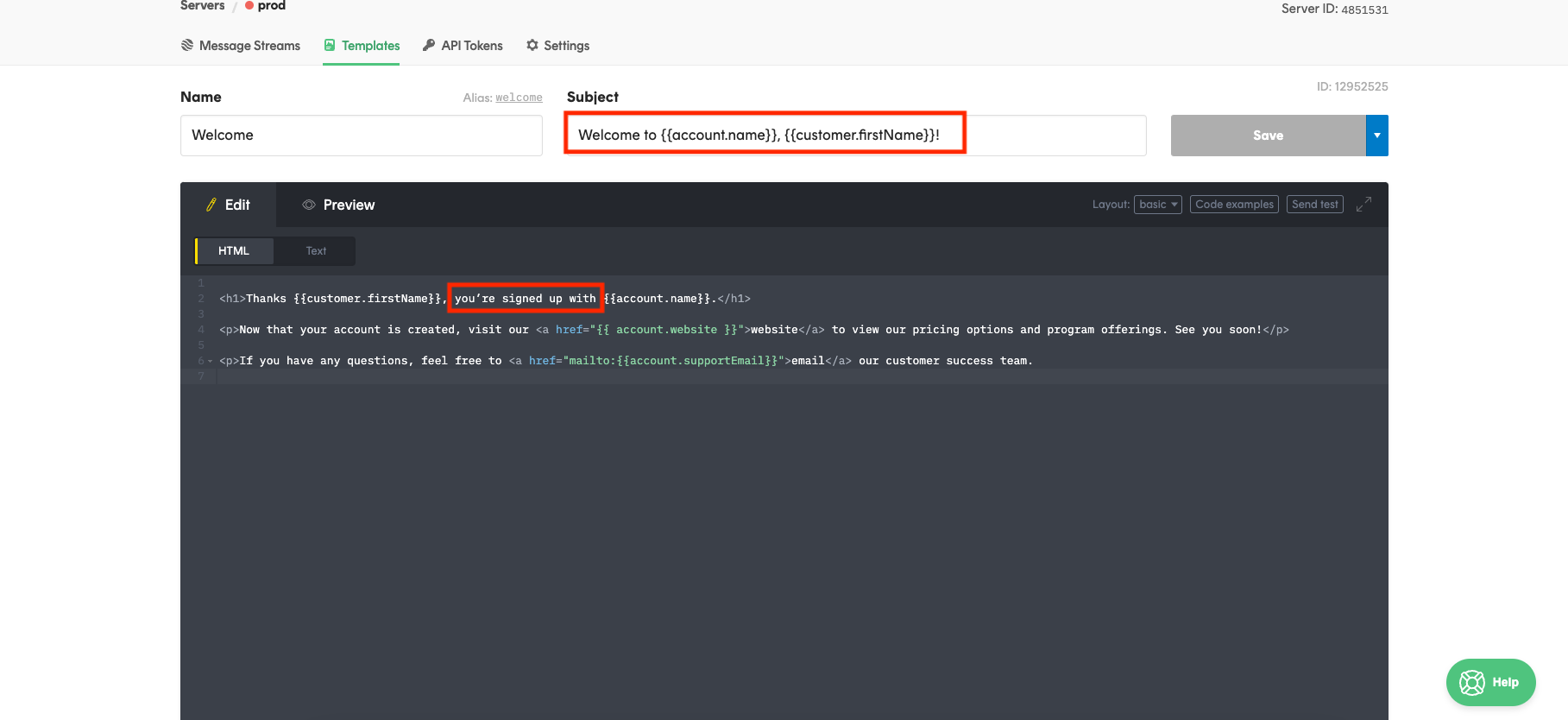
On the edit page, you will be able to customize the Email body and the Email Subject. (Top Most Red Box)
Here is where you will be able to change all English text into the language you prefer.
Note: The English text in between the double curly brackets should not be changed as these fields allow the email to be customized for every customer.
Note: As can be seen, the email template is written in HTML. Editing the HTML will affect the overall layout of the email template.
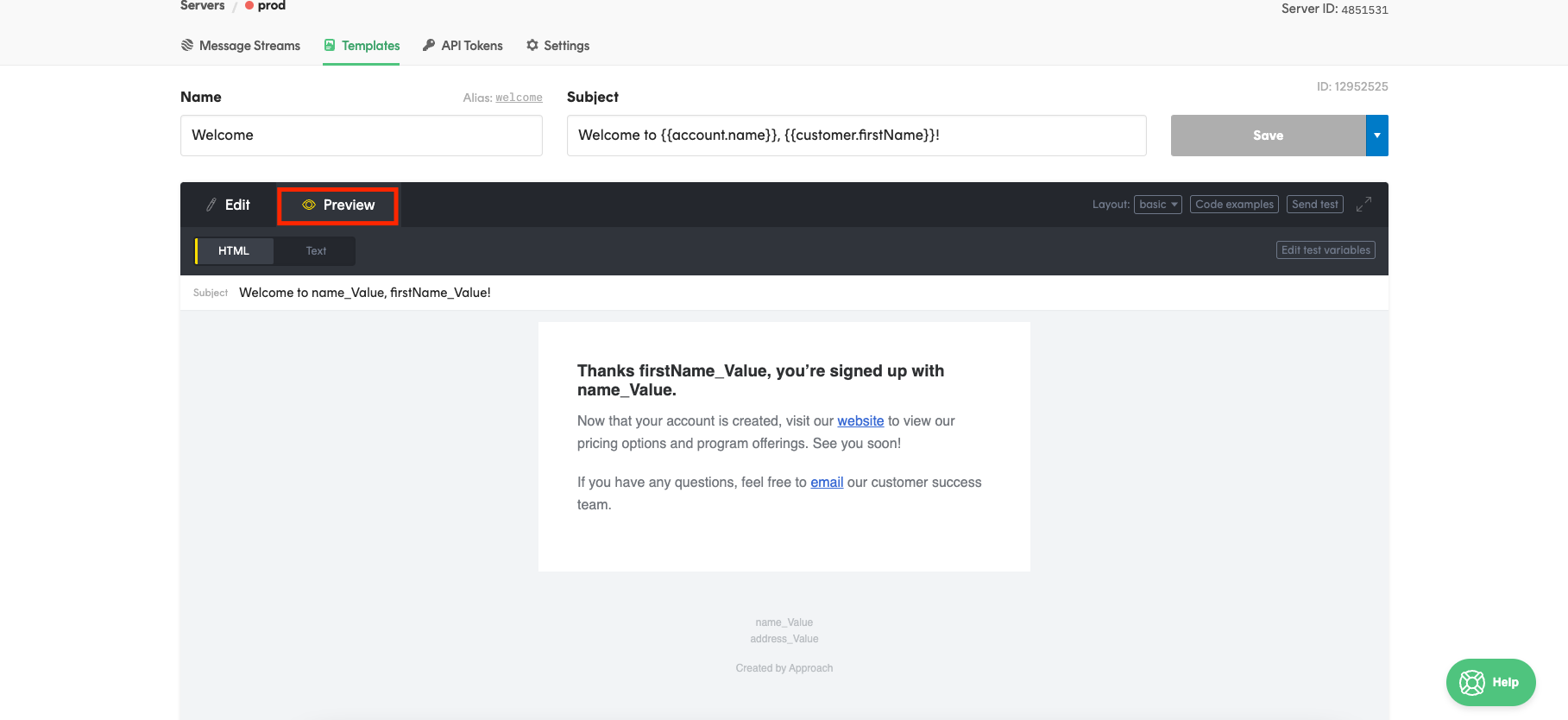
 There is also a preview option, it showcases what a sent email looks like.
This concludes the article on how to change the language on your automatic emails.