
In the Main App while creating or editing a sellable item, at the bottom of the page you will see the portal settings. These Portal Settings will allow you to set whether you want your item to be viewable/purchasable/usable in the Portal.
The only items that can be sold on the Portal are passes, memberships, tickets, pricing tiers, and gift cards. We do not offer the ability to sell products or other items on the Portal.
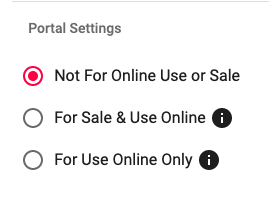
For Sale & Use Online
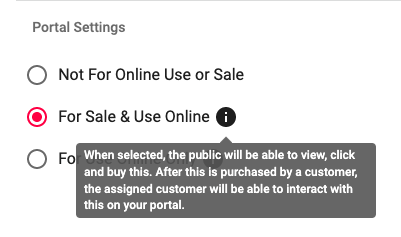
This setting was previously called "isPublic". It has been renamed to make more clear what its functionality. The functionality still works as it always did, meaning that if you set an item to be "For Sale & Use Online" your customers will be able to see and purchase this item via the portal.
For Use Online Only
Selecting this option on items means that this item will not be able to be purchased online but can be viewed.
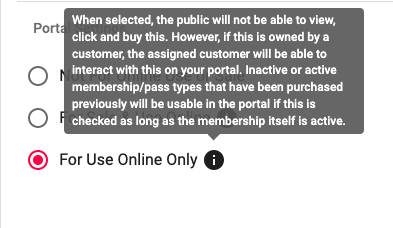
For Use Online Only allows users to book FCFS reservations using a Membership Type/ Pass Type that is no longer for sale online.
- Membership Types
-
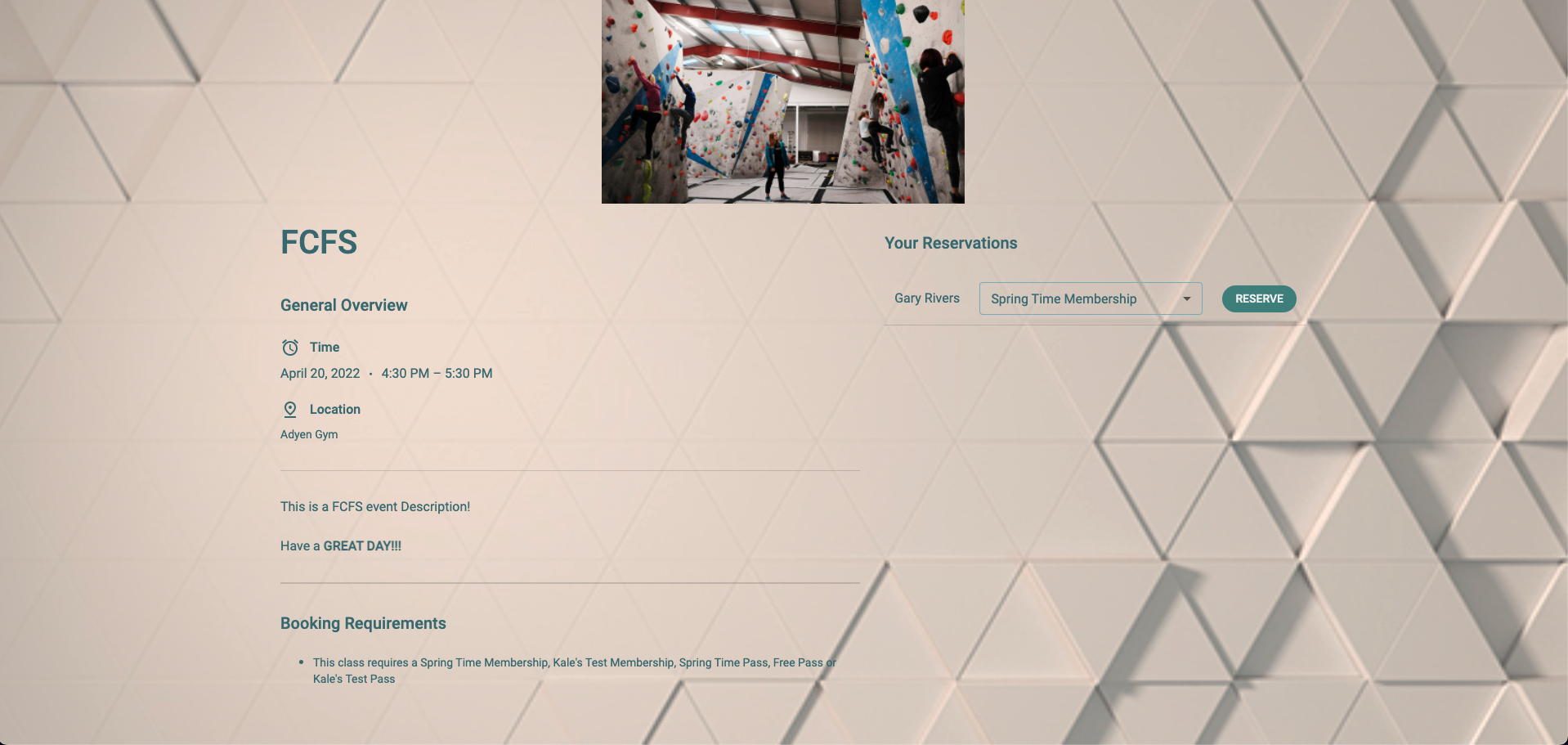
In this screenshot below the user is able to make a reservation using their "Spring Time Membership". This Membership Type is not available for sale online, but is usable to book FCFS reservations.
-
- Pass Types
-
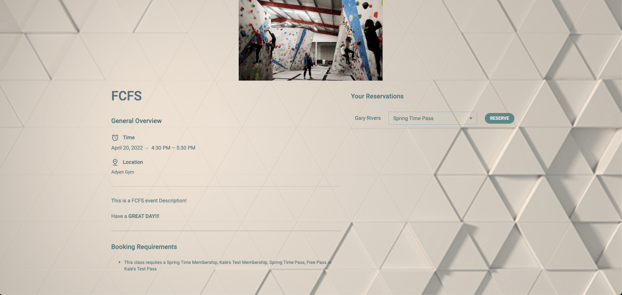
In this screenshot below the user is able to make a reservation using their "Spring Time Pass". This Pass Type is not available for sale online, but is usable to book FCFS reservations.
-
- Ticket Types/ Pricing Tiers/ Gift Card Types
- This feature, at the current moment, won't have any effect on Ticket Types/ Pricing Tiers/ Gift Card Types. This is in a future-minded effort to build Approach in a way that will be ready for future enhancements. Our intention is to make it faster for our team to build and deploy robust enhancements around this feature. The timeline and content for these future enhancements is to be determined at this time.